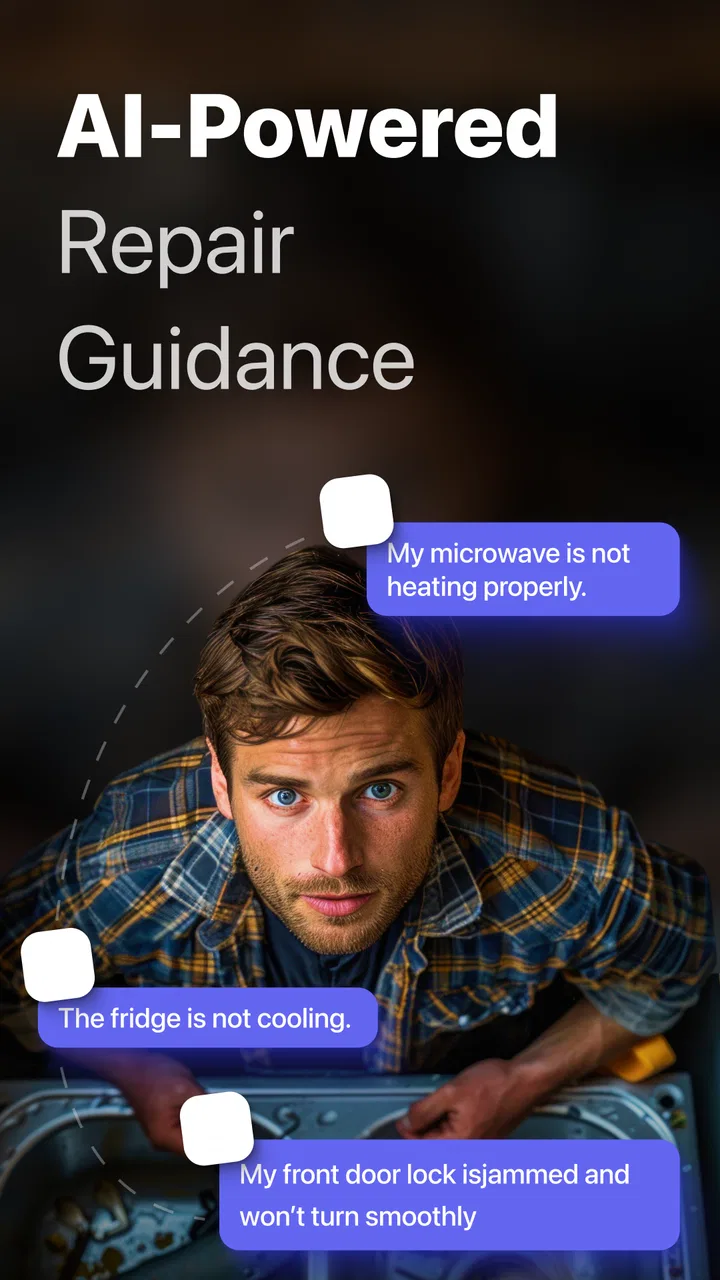
RepairBuddy - AI Fix
- 4.6
- Rating
- 500.00K
- Installs
- Free
- Price

 Analysis by App-foxy
I approached RepairBuddy - AI Fix as a productivity tool rather than a novelty app. Its purpose is practical: help me work through repairs to ordinary household items by turning a problem into a guided, step-by-step process. That sounds simple, but the quality of an app like this depends on how clearly it handles uncertainty. A repair guide is useful only when it helps me understand what I am looking at, what I can safely try, and when I should stop.
After using it in that spirit, I see the appeal. The app is aimed at people who would normally search through scattered videos, forum posts, and manuals before touching a broken object. Instead, it presents an AI-assisted route through the problem. I found that approach most helpful when I already knew the basic symptom but did not know the correct order of checks. It is less convincing as a substitute for professional diagnosis, and that distinction matters throughout the experience.
How RepairBuddy fits into everyday repair decisions
RepairBuddy is a free productivity app from Dijital Elma, with optional in-app purchases ranging from $1.99 to $39.99 per item. It is available for users aged Everyone, supports Android 7.0 and later, and its current version is 22. The app has reached over 500 thousand installs and holds a 4.6 average from around 65 thousand ratings, which suggests that the basic idea has found a substantial audience.
You May Also Like

 Blood Strike: 2.5 Anniversary
Blood Strike’s Loadouts Turn Every Drop Into a Tactical Gamble
A close look at Blood Strike’s custom loadouts: how fast access to signature weapons reshapes its battle royale rhythm, rewards preparation, and narrows the gap between fights.

 Pandora - Music & Podcasts
Pandora’s Music Is Easy to Start, but Harder to Recover
Pandora’s strength is its low-effort path from a seed to a station. Its weak spot is how much confidence it asks you to place in connection, setup, and quiet recovery.

 8 Ball Pool
 Is Built on Rivalries, Rematches, and Routine
A close look at the rivalries, rematches, shared routines, and unanswered safety questions that turn a quick pool match into a persistent mobile community.

 Samsung Music
’s Quiet Strength Is Playing What You Already Own
Its reach comes less from spectacle than from dependable access to a personal library. That simplicity is both the app’s strongest retention engine and its ceiling.

 AccuWeather: Weather Radar
AccuWeather Review: A Quick, Clear Forecast for Everyday Decisions
For everyday plans, the best forecast is the one you can understand quickly. AccuWeather makes rain timing, radar, and local conditions easy to act on, with a few trade-offs.

 Hill Climb Racing
Why Hill Climb Racing Still Turns Crashes Into One More Run
A tiny car, a bumpy hill and one more upgrade: Hill Climb Racing keeps resurfacing because its simple chaos makes every near-miss feel personal.
More From Our News Desk



I would describe it as a first-stop troubleshooting companion. It is not the same as a manufacturer service manual, and it does not replace the experience of a technician who can inspect a device directly. Its strength is the middle ground: I can explain a symptom in ordinary language, follow a sequence, and decide whether the next sensible action is cleaning, checking a connection, replacing a simple part, or seeking help.
That makes the app particularly suitable for small domestic problems. A loose cabinet handle, a household appliance that has stopped responding, a bicycle adjustment, or a simple electronic accessory can all create the same frustrating situation: the object is not obviously destroyed, but I do not know where to begin. A guided process reduces the temptation to dismantle everything at once.
The app is also useful for people who learn by doing but dislike long technical articles. Traditional search results often mix several models, old instructions, and comments that assume specialist vocabulary. RepairBuddy’s conversational approach feels more approachable because I can start with the symptom instead of knowing the name of the failed component.
What the guided approach does well
The most useful part of the experience is the sequence. Instead of giving me a large block of advice, a step-by-step repair guide encourages a pause between actions. That matters because many avoidable mistakes happen when someone skips basic checks and immediately opens a device. A good sequence starts with the least invasive possibilities and only moves toward more involved work when the earlier checks do not explain the problem.
I also found value in using the app to prepare before touching the item. I can describe what happened, note unusual sounds or smells, and gather the relevant model information before beginning. That preparation makes the eventual guidance more useful. It also gives me a clearer description to share with a repair shop if the problem turns out to be beyond my ability.
One less obvious benefit is that the app can help separate diagnosis from repair. Those are not always the same thing. Finding out that a power issue may be caused by a cable, outlet, battery, switch, or internal fault is already progress, even if I decide not to fix it myself. I would rather reach that conclusion carefully than buy a replacement part based on a guess.
Another practical advantage is using the guide as a checklist rather than treating every instruction as an order. I can read the next step, compare it with the actual object in front of me, and stop if the situation does not match. That habit is important with AI-assisted guidance because a plausible answer can still be wrong for a particular model or condition.
A realistic household scenario
Imagine a small kitchen appliance that suddenly stops working. My first reaction might be to assume the motor has failed. With RepairBuddy, I would begin by describing the symptom and the circumstances: whether it stopped during use, whether the indicator appeared, whether there was a burning smell, and whether the power connection is secure. The resulting path may direct attention toward simple external checks before anything is opened.
The real value in that scenario is not dramatic automation. It is preventing a rushed decision. If the guide points toward a basic connection issue, I save time and avoid ordering a part. If the symptoms suggest heat damage or an internal electrical fault, I gain a reason to stop rather than continue experimenting. That is the kind of everyday judgment I want from this app.
I would use the same workflow for a device that works intermittently. Intermittent faults are especially easy to misread because the item may appear fixed at the exact moment I test it. Recording when the failure occurs, what movement or temperature seems related, and which checks have already been completed can make the next steps more disciplined. RepairBuddy is most helpful when I treat it as a structured notebook and guide, not as a magic diagnosis.
Trust, controls, and moments that deserve care
Because this is an AI-powered repair tool, trust is more important than a polished interface. I am not only asking whether it can produce an answer; I am asking whether I can see what I am doing, retain control over the next step, and avoid sharing more information than the task requires. The app feels easiest to trust when I use it for a narrow problem and review each instruction before acting.
There are several sensible habits I would recommend. Describe the object and symptom without adding unrelated personal details. If an image or other input is requested during a repair conversation, include only what helps identify the item or problem. Avoid showing addresses, documents, serial numbers, faces, or anything else that has no bearing on the repair. This is not a criticism of RepairBuddy specifically; it is a practical rule for any tool that may process user-supplied information to generate advice.
I also pay attention to visible choices during use. Before continuing with an input, I want to understand what I am sending and why it is needed. If the app presents an account option, subscription prompt, or purchase screen, I prefer to make that decision deliberately rather than tapping through to reach the next instruction. The free entry point is helpful, but optional purchases mean I should still watch the wording and confirm what I am accepting.
The app’s Everyone age rating makes it approachable for a broad audience, including households where a younger person may be curious about fixing things. Still, an age label is not a safety certification for every repair. Electricity, heat, pressure, sharp tools, gas, and stored energy can all create hazards. I would not let a child follow a guide independently, and I would not interpret a confident instruction as permission to handle a dangerous item.
Where user control matters most
I appreciate a repair workflow in which I can stop, go back, correct the description, or ask for a narrower explanation. Those actions preserve user agency. They are especially important when the first description was incomplete. If I say that a device “does not work,” the answer may be very different from the answer to “it powers on but shuts down after a minute.” Taking time to refine the symptom is often more valuable than accepting the first suggested path.
A useful personal rule is to keep a short record of what I have already tested. I can note the result of each check and avoid repeating the same action or losing track of a removed screw. This turns RepairBuddy into part of a controlled workflow. It also helps me challenge an instruction when it conflicts with what I can see, rather than assuming my observation must be wrong.
I am more cautious when the guide moves from external inspection to disassembly. Before opening anything, I would check whether the item could contain a battery, capacitor, spring tension, hot surface, sharp edge, or liquid. I would also confirm that the repair is worth the risk and cost. An app can organize steps, but it cannot physically feel resistance, detect heat with my hands safely, or guarantee that a particular model matches the general description.
The same caution applies to replacement parts. One of the app’s useful roles is helping me understand what kind of component may be involved, but I would not purchase a part solely because a generated suggestion sounds specific. I would verify the exact model, connector, dimensions, and compatibility through a manual or reputable seller. This is a concrete trade-off: RepairBuddy can reduce research time, but independent confirmation remains essential when money or safety is involved.
Comparing it with familiar alternatives
The usual alternative is a web search. Search is better when I need an exact manual, a model-specific diagram, or a long-term community discussion with photographs. It can also expose me to multiple solutions and warnings. Its weakness is the amount of sorting required. RepairBuddy is more convenient at the beginning because it helps turn a vague complaint into an ordered investigation.
Video tutorials are another common choice. They are excellent when the presenter is working on the same model and shows every physical movement clearly. However, a video can be difficult to follow when my symptom differs from the one shown, and pausing or jumping between sections is not always efficient. RepairBuddy’s interactive, symptom-led format is better for deciding which branch of the problem deserves attention first.
Manufacturer manuals remain the strongest option for exact specifications, safety notices, part references, and warranty-sensitive work. If I am dealing with a valuable appliance, a sealed battery, or anything still covered by support, I would consult the manufacturer before relying on an AI guide. RepairBuddy works best alongside that material, especially when I need help translating technical language into a practical sequence.
A local repair professional is preferable when the fault is dangerous, expensive, intermittent in a serious way, or beyond basic checks. The app may help me describe the symptoms clearly, but it should not encourage false confidence. I would skip it as a primary solution for gas appliances, mains electrical work, structural repairs, damaged lithium batteries, or any object where a mistake could cause injury or a larger loss.
Limitations I noticed in the decision process
The largest limitation is the gap between a general repair explanation and the exact object on my table. Everyday items can look similar while using different mechanisms. A guide that is sensible for one version may be unsuitable for another. I therefore treat model identification as an early step, not a minor detail.
AI guidance can also sound more certain than the evidence supports. If the symptom is ambiguous, several causes may remain possible. I want the app to help me compare those possibilities, but I do not want to confuse a likely cause with a confirmed diagnosis. When the suggested action involves opening the item, spending significant money, or bypassing a safety feature, I would seek a second source.
There is also a practical limit to how much explanation I want while holding tools. Long instructions are easier to use when I prepare first, perhaps by reading the complete sequence and gathering the required tools before starting. If I begin with no plan and keep switching between the object and the phone, the process can become distracting. The app is not a replacement for a clean workspace and careful organization.
The purchase structure deserves attention as well. The app can be installed without an upfront price, but optional items may affect how far I can take a particular workflow. I would check each purchase screen carefully and decide whether the added guidance is worthwhile for the item I am repairing. For a cheap object, professional help or replacement may still be the more sensible financial choice.
Who should use it, and who should choose something else
I would recommend RepairBuddy to a curious homeowner, renter, student, or hobbyist who wants a calm starting point for minor repairs. It is especially suitable for someone who tends to search broadly, become overwhelmed by conflicting advice, and then postpone the job entirely. The guided structure can turn that uncertainty into a manageable set of checks.
It is also useful for people who want to learn the logic behind troubleshooting. Rather than jumping straight to a replacement, I can ask what evidence supports each possibility. That mindset saves money over time and helps me communicate better with technicians when I do need professional assistance.
I would choose another resource first when exact technical documentation is available. A manufacturer manual is more appropriate for model-specific procedures, warranty conditions, and official safety instructions. A qualified technician is the right choice for high-risk work. Someone who expects the app to identify every fault automatically, guarantee a successful repair, or remove the need for hands-on knowledge may find it frustrating.
My cautious verdict
RepairBuddy - AI Fix is a useful addition to the everyday repair toolkit because it focuses on the part many people struggle with: deciding where to begin. I like its potential to organize symptoms, slow down impulsive disassembly, and make simple troubleshooting feel less intimidating. Its strongest use is as a guided first pass, followed by verification through manuals, reliable parts information, or professional advice when the situation demands it.
I would install it for minor household problems and use it with clear boundaries. I would keep descriptions focused, review every step, protect unrelated personal information, and treat purchase prompts as decisions rather than automatic continuations. Most importantly, I would stop when the repair involves serious electrical, thermal, mechanical, or chemical risk.
With that cautious approach, the app earns a place beside search, manuals, and repair videos rather than trying to replace them. The best result is not always a successful do-it-yourself fix. Sometimes it is a well-supported decision to clean a connection, buy the correct part, leave the item closed, or call someone qualified. That practical sense of control is where RepairBuddy is most valuable.
FAQs for RepairBuddy - AI Fix
01What is RepairBuddy - AI Fix, and what can it do?
RepairBuddy - AI Fix is designed to help users identify and troubleshoot common problems with devices, household items, or technical equipment through AI-assisted guidance. After describing an issue, users may receive possible causes, suggested checks, and step-by-step repair recommendations. It is best viewed as a convenient starting point for diagnosis rather than a replacement for a qualified technician or an official service manual.
02Is RepairBuddy - AI Fix suitable for beginners without technical experience?
The app is intended to make troubleshooting easier for everyday users by presenting information in a more accessible format. Its guided explanations can help beginners understand what might be wrong and which basic checks to perform. However, some repairs still require tools, electrical knowledge, or mechanical skill. Users should stop if instructions are unclear and avoid opening dangerous equipment without proper experience.
03Can RepairBuddy - AI Fix accurately diagnose every problem?
No AI repair assistant can guarantee a correct diagnosis for every situation. RepairBuddy - AI Fix relies on the details, photos, or descriptions provided by the user, so incomplete or inaccurate information may lead to less useful suggestions. The app can offer likely explanations and troubleshooting ideas, but important repairs should be confirmed using manufacturer documentation or by consulting a qualified professional.
04Is it safe to follow the repair instructions provided by the app?
The safety of any repair depends on the device, the fault, and the specific instructions shown. Before starting, users should disconnect power when appropriate, wear suitable protection, and follow official safety guidance. Extra caution is necessary with electricity, batteries, gas appliances, high temperatures, and pressurized systems. If a recommendation involves significant risk, professional assistance is the safer choice.
05Is RepairBuddy - AI Fix free to download, and does it require an internet connection?
Availability, pricing, subscriptions, and included features can vary depending on the Android or iOS version and the developer’s current terms. Some functions may be free while advanced AI assistance or increased usage limits may require payment. Because AI analysis commonly depends on online processing, an internet connection may be needed for the main features. Check the store listing before downloading.
Pros
- AI guidance can help identify likely causes of common device problems.
- Step-by-step instructions are easier to follow than searching through forums.
- Useful for quick troubleshooting before contacting a repair professional.
- Can help users estimate whether an issue may require parts or service.
- Convenient reference for basic repairs and maintenance on the go.
Cons
- AI suggestions may be inaccurate for unusual or complex hardware faults.
- Some repairs require tools or skills that beginners may not have.
- Following incorrect instructions could cause further device damage.
- The app may not support every device model or repair scenario.
- Sensitive device details should be reviewed carefully before sharing them.

RepairBuddy - AI Fix
Gallery